Data Backup Built for Medical Specialty Clinics
CDS protects that data with verified, fully managed backup built around the real on-premise environments specialty clinics depend on every day.
 HIPAA Security Rule Compliant
 ISO 27001 Certified
 US-Only Data Centers
 448-Bit Encryption
How Specialty Clinics Protect Critical On-Premise Clinical Systems
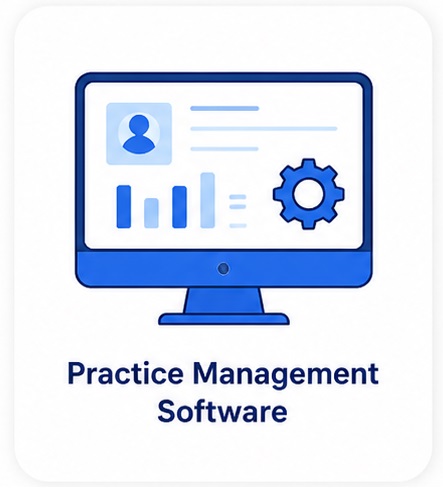
Medical specialty clinics depend on more than one system to deliver care. Patient records may live in a local EHR, while imaging files, procedure notes, billing records, lab reports, and specialty databases may sit on separate servers or workstations.
That makes backup more complex than simple file storage.
If one local server fails, ransomware reaches an imaging workstation, or a clinical database becomes corrupt, providers can lose access to the information they need during appointments, procedures, follow-ups, and billing workflows.
CDS protects these on-premise systems directly with verified backup, ransomware-isolated storage, and recovery documentation built for clinical environments.
When specialty clinic systems go down, the clinic can lose access to:
- Local EHR records and patient histories
- Diagnostic imaging archives and procedure files
- Lab results, pathology reports, and treatment notes
- Appointment schedules and provider calendars
- Billing records, claims, and prior authorization data
Is Your Specialty Clinic Backup Actually Recoverable?
Here is what many specialty practices only discover when downtime has already started.
Clinical System Dependency

Verified Restore Points
A backup is only useful if it can be restored. CDS verifies files before they enter storage, helping prevent corrupted, infected, or incomplete data from becoming part of your recovery chain.
Ransomware-Isolated Backup
Imaging and Procedure Data Protection
Compliance and Audit Evidence
Recovery Readiness for Staff
What Medical Specialty Clinic Data Needs to Be Backed Up?
Medical specialty clinics store patient, diagnostic, operational, and billing data across different local systems. A reliable backup plan should protect every system your clinic depends on to deliver care and keep operations running.
Local EHR Data
Diagnostic Imaging Files
Clinical Records
Billing & Insurance Records
Scheduling Data
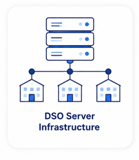
Multi-Location Clinic Servers
On-Premise Data Across Medical Specialties
Different specialty clinics depend on different local systems, imaging files, clinical records, and long-term documentation. CDS protects the on-premise data each specialty relies on for care delivery, compliance, and daily operations.
Cardiology
Orthopedics
Dermatology
Oncology
Gastroenterology
Neurology
Common Medical Specialty Clinic Backup Risk Scenarios
| Scenario | ✕ Without CDS | ✓ With CDS |
|---|---|---|
| Ransomware on clinic network | Local EHR, imaging files, and backup copies may be encrypted | Isolated archive remains protected and available for recovery |
| Corrupt clinical database | Missing or damaged records may only be found during restore | Corrupt or incomplete files are blocked before entering the archive |
| Imaging archive loss | X-rays, MRIs, CT scans, ultrasound files, or DICOM studies may be lost or incomplete | Verified imaging data can be restored from a clean protected copy |
| On-premise EHR server failure | Patient charts, schedules, notes, and billing records may become unavailable | Clean restore helps the clinic resume operations faster |
| Procedure or lab record loss | Treatment notes, pathology reports, consent forms, and follow-up records may be missing | Clinical documentation is backed up, verified, and recoverable |
| Multi-location clinic failure | Each location may have separate backup gaps and inconsistent restore readiness | Centralized backup coverage protects local systems across locations |
| Silent backup failure | Failed jobs may go unnoticed until data is needed | Real-time monitoring and anomaly alerts help detect issues early |
| Compliance review or audit | Clinic may lack backup logs, restore evidence, or vendor documentation | BAA, verification logs, and compliance reports are available |
How CDS Backup Works With Medical Specialty Clinics
CDS backs up on-premise systems directly, including local clinical servers, imaging workstations, locally installed EHR databases, specialty databases, and billing systems.
During onboarding, CDS configures your backup environment around your actual on-premise infrastructure and clinical software. Every file is verified before storage, so your clinic knows the backup can be trusted before a ransomware attack, server failure, or restore event happens.

Pre-Storage Verification
Every file, including local clinical databases, imaging archives, and billing records, is scanned and confirmed clean before entering the backup archive. This helps stop corrupted, infected, or incomplete data from becoming part of your recovery chain.

On-Premise System Backup
CDS backs up local servers, clinical databases, imaging workstations, and specialty systems directly. No cloud integration or major software change is required for your clinic team.

Ransomware Isolation
Your backup archive is kept isolated from the clinic network. If ransomware reaches your primary environment, your protected recovery copy remains out of reach.

448-Bit Encryption
Clinical data is encrypted in transit and at rest to help protect PHI. This includes patient records, diagnostic imaging, procedure documentation, billing records, and locally stored clinical data.

US-Only Data Centers
Clinical data is stored in CDS-owned U.S. data centers only. There is no shared public cloud dependency or third-party cloud exposure for your backup archive.

Real-Time Monitoring
CDS continuously monitors your on-premise backup environment. Backup failures, anomalies, and risk signals can be detected before they interrupt clinical operations.

Staff Restore Training
Your clinic team is trained to understand restore steps during onboarding. That helps your staff begin recovery faster instead of waiting entirely on an outside IT vendor.

Compliance Documentation
CDS provides verification logs, backup reports, and compliance documentation for audits, insurance reviews, and internal risk assessments. Your clinic has evidence that backup activity is monitored, verified, and documented.
SPECIALTY CLINIC GROUPS
Centralized Backup Management Built for Specialty Clinics with On-Premise Infrastructure Across Multiple Locations
Specialty clinic groups face an on-premise data protection challenge that single-location practices often do not: maintaining consistent backup coverage, restore readiness, and compliance documentation across multiple sites, each with its own local servers, imaging workstations, EHR databases, and billing systems.
CDS provides centralized backup management designed for the operational complexity of specialty clinics running on-premise infrastructure at scale. One consistent protection standard can be applied across all locations, giving your organization better visibility, cleaner reporting, and a single point of accountability for your local clinical data environment.
A backup failure at one clinic location is not just a local IT issue.
Inconsistent backup standards across multiple specialty clinic locations can create operational delays, compliance gaps, acquisition due diligence concerns, insurance review problems, and patient care disruption. CDS helps unify backup coverage, verification, monitoring, and documentation across your full on-premise environment.
Get a clinic-specific backup architecture review from a CDS specialist — no obligation.
Meeting HIPAA Backup Obligations for Medical Specialty Clinics
Medical specialty clinics are covered entities under HIPAA. The patient data they create and store — from local EHR records and diagnostic imaging archives to lab reports, procedure notes, and billing databases — may contain protected health information.
CDS supports the backup compliance layer for local specialty clinic infrastructure with secure storage, encryption, access controls, verification logs, restore documentation, and managed recovery support.

Backup Verification Logs
Restore evidence, anomaly alerts, backup reports, and verification logs help support audit readiness. CDS documents backup activity so your clinic can show that data protection is monitored, verified, and recoverable.

Business Associate Agreement
This helps document vendor accountability for backup systems that store or handle protected health information.

ISO 27001 Certification

Private Owned Infrastructure
Transparent Backup Pricing for Medical Specialty Clinics
Unison by CDS is available monthly or annually, covering your on-premise clinical systems with verified backup, monitoring, encryption, and recovery support.
Pay Month to Month
Unison Monthly Plan
Full access to CDS backup, verification, monitoring, and recovery support for on-premise specialty clinic systems. Best for clinics that want flexible month-to-month protection without a long-term commitment.
Best value for your Clinic
Unison Annual Plan
Everything in the monthly plan, billed annually. The most cost-effective way to keep local EHR data, imaging archives, clinical records, billing systems, and specialty databases protected year-round.
Not sure which plan fits your clinic’s setup?
Healthcare Environments
Other Healthcare Practices We Protect
CDS supports more than medical specialty clinics. Explore backup and recovery solutions for other healthcare environments where patient records, imaging files, treatment documentation, billing systems, and clinical software need to stay protected, recoverable, and audit-ready.
Don't see your practice type listed?
See how CDS protects healthcare backups across clinics, imaging centers, software platforms, and regulated healthcare organizations.
FAQs About Medical Specialty Clinic Backups
Does CDS back up our locally installed EHR system?
Our EHR is cloud-hosted. Can CDS still protect our clinic's data?
We store large imaging files on local servers. Can CDS handle that volume?
Our clinic has multiple physicians across two locations with separate servers. How does CDS handle that?
How quickly can our clinic recover if our on-premise EHR server goes down?
Does CDS sign a BAA for specialty clinics?
How is specialty clinic backup different from general practice backup?
Ready to Protect Your
Specialty Clinic’s On-Premise Data?
Your clinic depends on local systems to access patient records, imaging files,
procedure notes, billing data & clinical documentation. CDS helps keep that data verified,
isolated, encrypted & ready to restore when downtime happens.