CDS helps dental practices and DSOs protect ePHI with encrypted backup, verified recovery, ransomware-isolated storage, BAA support, and centralized backup monitoring across one or multiple locations.
 HIPAA Security Rule Compliant
 ISO 27001 Certified
 1,000+ US Healthcare Organizations Protected
 448-Bit Encryption
Backup Strategy
Why Cloud Storage Alone Is Not a Dental Backup Strategy
Cloud storage may save copies of files, but it is not the same as a complete dental backup and recovery system. Dental practices also need recoverable backups for patient databases, imaging archives, billing records, scheduling data, and local servers.
A reliable dental backup strategy should confirm that critical systems such as Dentrix, Eaglesoft, X-rays, CBCT scans, and patient records can be restored cleanly after ransomware, server failure, accidental deletion, or data corruption.
Cloud Storage vs. Complete Dental Backup
The Real Question
"Is our data stored somewhere?" is not enough.
"Can we restore the right data quickly, securely, and completely when the practice needs it?"
How Dental Practices and DSOs Manage On-Premise Patient Data
Dental practices rely on multiple interconnected on-premise systems every day. Practice management software installed on local servers handles scheduling, treatment planning, billing, and insurance. Separate imaging software stores CBCT scans, X-rays, and intraoral images on dedicated workstations.
Clinical records, perio charts, prescriptions, and treatment histories often live inside local databases that only function when the office server is available.
The most common on-premise systems dental practices depend on include Dentrix, Eaglesoft, Dexis, Carestream, Planmeca, and Open Dental. These platforms support daily operations, but they were not always built with clean disaster recovery in mind.
When a local server fails, ransomware hits the practice network, or a database becomes corrupted, generic backup tools often fail to restore these environments cleanly.
When dental systems go down, the practice can lose access to:
- Patient charts
- Appointment schedules
- Treatment plans
- Billing and insurance records
- CBCT, X-ray and intraoral image archives
Is Your Dental Backup Actually Recoverable?
A (√) green checkmark on last night’s backup job doesn’t mean your practice can open on Monday. Here’s what most dental offices don’t find out until it’s too late.
Backup Completion
Restore Verification
Ransomware Isolation
Imaging Archive Recovery
Compliance Evidence
Staff Recovery Readiness
What Dental Practice Data Needs to Be Backed Up?
Practice Management Data
Scheduling, treatment plans, patient demographics, billing, and insurance data stored in Dentrix, Eaglesoft, or Open Dental.
Dental Imaging Files
CBCT scans, bitewing X-rays, periapical X-rays, and intraoral images stored on local imaging workstations.
Clinical Records
Perio charts, clinical notes, treatment histories, prescriptions, and consent documentation.
Billing & Insurance Records
Scheduling Data
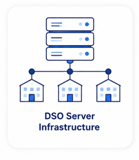
DSO Location Servers
Local server data from every site, protected through centralized backup management.
Dental Backup Risks for Dentrix, Eaglesoft, Imaging & DSOs
Dentrix and Eaglesoft Backups May Not Restore Cleanly
Dentrix and Eaglesoft use proprietary database structures. A completed backup job does not always mean the database can be restored without corruption.
A backup may look successful but still contain:
- Corrupt database exports
- Missing image libraries
- Incomplete patient records
- Broken links between charts and imaging files
CDS verifies files before storage so corrupted or incomplete data does not silently enter the archive.
Dental Imaging Archives Are Prime Ransomware Targets
CBCT scans, X-rays, and intraoral images are clinically essential and impossible to recreate. Attackers know this.
If backups sit on the same local network as imaging workstations, ransomware can encrypt both the live files and the backup copy.
CDS keeps your archive isolated from the local network, helping protect imaging data from ransomware spread.
DSOs Face Multi-Location Backup Risk
For DSOs, one failed backup is not just a local IT issue. It can become a compliance, operational, and reputational problem across the organization.
Common DSO risks include:
- Different backup tools by location
- No centralized visibility
- Inconsistent restore testing
- Unclear compliance documentation
- Separate failure points at every site
CDS provides one consistent backup standard across all locations.
CDS supports backup planning for common dental environments, including Dentrix backup, Eaglesoft backup, Open Dental backup, dental imaging backup, CBCT backup, X-ray archive protection, and local dental server recovery.
Common Dental Backup Risk Scenarios
| Scenario | ✕ Without CDS | ✓ With CDS |
|---|---|---|
| Ransomware on practice network | Local server and imaging files encrypted | Isolated archive remains intact |
| Corrupt Dentrix database | Discovered only during restore | Blocked before entering archive |
| Imaging library loss | CBCT and X-ray files may be permanently lost | Verified imaging data restored |
| On-premise server failure | Scheduling, billing, and records become unavailable | Clean restore gets practice operational faster |
| DSO multi-site failure | Each location exposed independently | Centralized backup covers all locations |
| Silent backup failure | Failure goes undetected | Real-time monitoring and anomaly alerts |
How CDS Backup Works With
Dental Practices and DSOs?
CDS backs up your on-premise systems directly, including local Dentrix and Eaglesoft servers, imaging workstations, clinical records, billing data, and DSO location servers.
During onboarding, CDS configures your backup environment around your actual dental software, server infrastructure, and restore needs. Every file is verified before storage so your practice knows the backup can be trusted before a crisis happens.

Pre-Storage Verification

Imaging Workstation Backup

Ransomware Isolation

448-Bit Encryption

US-Only Data Centers

Dental Software Expertise

Staff Restore Training

Daily Automated Backup
Dental Support Organizations
Centralized Backup Management Built for DSOs with On-Premise Infrastructure Across Multiple Locations
DSOs face an on-premise data protection challenge that single-location practices don't - maintaining consistent backup coverage and compliance documentation across dozens or hundreds of locations, each running their own local servers and practice management systems.
CDS provides centralized backup management designed specifically for the operational complexity of dental support organizations running on-premise infrastructure at scale. One consistent protection standard applied across all locations, consolidated compliance reporting, and a single point of accountability for your entire on-premise data environment.
A backup failure at one location is an operational problem.
Inconsistent on-premise backup standards across a DSO network is a legal and reputational event - touching HIPAA compliance, acquisition due diligence, and insurer obligations simultaneously.
Get a DSO-specific backup architecture review from a CDS specialist - no obligation.
Meeting HIPAA Backup Obligations for Dental Practices and DSOs
Dental practices are covered entities under HIPAA. The on-premise data they generate – from clinical records to imaging archives and billing databases – is protected health information.
CDS supports the backup compliance layer for local dental infrastructure with secure storage, access controls, documentation, and verified recovery.

Backup Verification Logs
Restore evidence, anomaly alerts, and backup reports help support audit readiness.

Business Associate Agreement

ISO 27001 Certification

Private Owned Infrastructure
Transparent Backup Pricing for
Dental Practices and DSOs
Unison by CDS is available monthly or annually, covering your on-premise dental systems with verified backup, monitoring, and recovery support.
Pay Month to Month
Unison Monthly Plan
Full access to CDS backup, verification, and monitoring for on-premise dental systems. No long-term commitment required.
Best value for your center
Unison Annual Plan
Everything in the monthly plan, billed annually. The most cost-effective way to keep on-premise dental data protected year-round.
Running a DSO or multi-location dental group?
Healthcare Environments
Other Healthcare Practices We Protect
CDS supports more than medical specialty clinics. Explore backup and recovery solutions for other healthcare environments where patient records, imaging files, treatment documentation, billing systems, and clinical software need to stay protected, recoverable, and audit-ready.
Don't see your practice type listed?
See how CDS protects healthcare backups across clinics, imaging centers, software platforms, and regulated healthcare organizations.
Questions from Dental Practices and DSOs
Is cloud storage enough for dental practice backup?
Our practice runs Dentrix on our own server. Does CDS back that up?
Can CDS help if our practice management software is cloud-hosted?
Can CDS back up CBCT scans and X-ray archives?
How does CDS support DSOs with multiple locations?
What happens if our office server goes down during patient hours?
Does CDS sign a BAA with dental practices?
How is dental backup different from general healthcare backup?
Ready to Protect Your
Dental Practice Data?
CDS helps dental practices and DSOs protect on-premise servers, Dentrix and
Eaglesoft databases, imaging workstations, clinical records, and billing systems with
verified, ransomware-resilient backup.